Advanced Flowchart Editor for Construct 3
Advanced Flowchart Editor for Construct 3
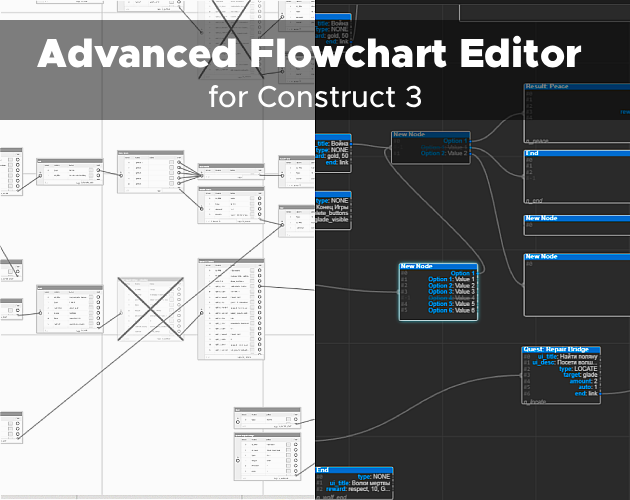
A browser-based flowchart editor that solves critical limitations of Construct 3's built-in editor. Supports batch operations, cross-project node import, and AI-friendly MiniFlow format for seamless integration with modern development pipelines.
Key Features
Batch Operations
Marquee selection for nodes and connections. Delete, copy, or disable multiple elements at once. No more clicking "Unlink" hundreds of times through context menus.
Multi-Project Workflow
Import and export flowcharts between different Construct 3 projects. Merge multiple graphs into one. Full compatibility with C3's native format (.json + .uistate.json).
MiniFlow Format
Human-readable JSON format for AI integration and version control. Generate dialogue trees with ChatGPT, then import directly. Stores only topology and node IDs without visual metadata.
Enhanced Interface
Bézier curves for connections instead of straight lines. Drag-and-drop output reordering. Full undo/redo history. Intuitive zoom and pan controls. View/Edit mode separation to prevent accidental changes.
Open Source & Free
Runs in any modern browser. No installation or registration required. Source code available on GitHub under MIT license.
What This Solves
| Construct 3 Limitation | Editor Solution |
|---|---|
| Manual unlinking – one connection at a time | Batch delete via marquee selection |
| No JSON import/export for collaboration | Native C3 format + MiniFlow support |
| Cannot merge flowcharts between projects | Direct import/export workflow |
| Straight lines create visual "spaghetti" | Bézier curves with auto-layout |
File Formats
Native Format (.flowproj)
Preserves complete editor state: visual layout, undo/redo history, selection states, and all metadata. Recommended for saving work between sessions.
Construct 3 Format
Two-file system: .json (core data with numeric SIDs) and .uistate.json (visual state). Import both files to preserve layout. Export generates both automatically.
MiniFlow Format
Simplified topology-first format with human-readable node IDs. Perfect for AI generation, version control, and custom parsers. Automatically applies BFS-based auto-layout on import.
MiniFlow Example
{
        "root": "quest_start",
        "nodes": {
            "quest_start": {
                "caption": "Village Guard",
                "tag": "n_choice",
                "outputs": [
                    {
                        "name": "Accept Quest",
                        "value": "I'll help you!",
                        "next": "quest_accept"
                    },
                    {
                        "name": "Refuse",
                        "value": "Not interested.",
                        "next": "quest_decline"
                    }
                ]
            }
        }
    }
Controls
| Input | Action |
|---|---|
| Ctrl + Z / Y | Undo / Redo |
| Ctrl + C / V | Copy / Paste nodes |
| Delete | Delete selection |
| Space + LMB Drag | Pan canvas |
| Ctrl + Wheel | Zoom |
| LMB Drag (Canvas) | Marquee selection |
| Shift + LMB | Add/remove from selection |
Workflow
- Enable Edit Mode
- Create nodes via Toolbar or Right-click → Add Node
- Drag from output dots to create connections
- Configure properties in right panel
- Set Start Node via Context Menu
- Save as
.flowprojor Export for Construct 3
Support Development
This editor is completely free. Your support helps add requested features, fix bugs faster, and allows me to focus on developing my game projects.
☕ Even $3 helps!
Possible Roadmap:
- Auto-layout: A single button to instantly tidy up the node chaos.
- Search/Filter: Quickly find nodes by text content inside them.
- Custom Skins: Adding alternative themes (currently Dark Mode only).
Changelog
v1.0 (January 2026)
- Node management (create, move, resize, enable/disable)
- Connection system with Bézier curves
- Advanced selection (mutual exclusion, marquee)
- Properties panel & filename editor
- View/Edit modes
- Import/Export: Construct 3 + MiniFlow formats
- Full undo/redo history stack
Developer Contact
🔗 Reddit
🔗 Telegram Channel
🔗 GitHub
✉️ famstudiogames@gmail.com
Leave a comment
Log in with itch.io to leave a comment.